


This guide will show you how to configure a Beronet bero*fix box. The main target of this guide is to connect the bero*fix card with the LAN and WAN. Setting up the BeroNet bero*fix 400/1600/6400 Connect the ...
This guide will show you how to configure a Beronet bero*fix card. The main scope of this guide is to connect the bero*fix card via a network brigde with the LAN and WAN
Virtualization is becoming increasingly popular and 3CX fully supports this technology. 3CX itself runs its PBX on Hyper-V, however we also test our PBX on VMware.

The 3CX Phone System is designed to be multi-lingual. Each text element in the 3CX Management Console is stored in a file and referenced from this file. By creating a localized copy of this file, it is possible to easily translate the interface and allow users to select the preferred language option
Location of Prompt Sets All prompt sets are located within this folder: Windows XP / 2003: C:Documents and SettingsAll UsersApplication Data3CXIvrPromptsSets Windows Vista / 2008 / 7 / 2008: C:ProgramData3CXDataIvrPromptsSets Each prompt set has a separate subdirectory. So for example, the default English prompt set is located within the “…Sets 8210986B-9412-497f-AD77-3A554F4A9BDB ” directory; The German prompt set is located within the “…Sets 03E2DC8C-3382-43e2-A9D5-115F92C847BE” directory. The name of the prompt set directory it actually the ID of the prompt set
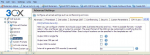
3CX Phone System can output call data records per call. These call data records can be configured to a format of your choice and thus its relatively easy to integrate with external billing software. Adjusting Billing costs 3CX Phone System calculates call costs based on destination number and call duration
Introduction DTMF (dual tone multi frequency) is the signal to the phone company that you generate when you press an ordinary telephone’s touch keys. In the United States, it’s known as a “Touchtone” phone. DTMF has generally replaced loop disconnect (“pulse”) dialling
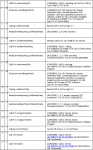
Introduction This chapter gives you an overview of how a call is established within 3CX and how you can trace through these steps by reading the server activity log. The Server activity log can be accessed by clicking on the Server Activity Log node in the 3CX Management Console
When using a virtualized operating system and 3CX Phone System, you may experience Stuttering voice quality if you have not configured your virtual environment correctly. This article explains how pm timers on the machine may affect hyper v or vmware instances in which the guest os is Windows XP or server 2003. Scenario – Hyper V installation with XP or 2003 guest operating system Problem – In these operating systems, you may encounter a situation where the IVR music files being played have jittery or bad audio.

3CX Phone System can be installed on most versions of Windows. Below is a complete list of supported and unsupported operating systems

 Copyright © 2025